What is the best smart door lock?
A comprehensive comparison of the top smart door locks available today. We evaluate keyless entry systems, smart home integration, security features, and ease of installation to help you find the perfect smart lock for your home.
After extensive testing, the August Wi-Fi Smart Lock stands out as our top recommendation for its seamless smart home integration, reliable performance, and sleek design that works with existing deadbolts. For those seeking maximum security features with Apple HomeKey support, the Schlage Encode Plus is the premium choice. Budget-conscious buyers should consider the Kwikset Halo for its solid performance at a competitive price.


Pros
- CPRO
Seamless Smart Home Integration
The August Wi-Fi Smart Lock connects directly to Wi-Fi without requiring a hub, and works flawlessly with Alexa, Google Home, and Apple HomeKit for voice control and automation.
- LPRO
Retrofit Design Preserves Exterior
The lock installs on the interior side only, allowing users to keep their existing exterior deadbolt and keys while adding smart functionality.
- NPRO
Convenient Auto-Lock/Unlock
GPS-based auto-unlock detects when you approach and unlocks automatically, while auto-lock engages after a set time to ensure the door is never left unsecured.
Cons
- PCON
Moderate Battery Life
Battery life ranges from 3-6 months depending on usage, which is shorter than some full-replacement smart locks on the market.
- SCON
Keypad Sold Separately
To use PIN codes for entry, the August Smart Keypad must be purchased separately, adding to the overall cost.
Pros
- MPRO
Apple HomeKey Integration
The Encode Plus is one of the few smart locks that supports Apple HomeKey, enabling iPhone and Apple Watch users to unlock with a simple tap, even without Wi-Fi.
- EPRO
Integrated Keypad
The built-in touchscreen keypad allows for PIN code entry without the need for additional accessories, offering multiple ways to unlock.
- DPRO
Commercial-Grade Security
Schlage is known for their commercial-grade security, with the Encode Plus featuring ANSI/BHMA Grade 1 certification for maximum residential security.
Cons
- CCON
Complex Installation
Unlike retrofit locks, the Encode Plus requires replacing the entire deadbolt, which involves more installation effort and modifying the door.
- LCON
Higher Price Point
At around $300, the Encode Plus sits at the premium end of the smart lock market, which may exceed some buyers budgets.
Pros
- NPRO
Modular and Upgradeable
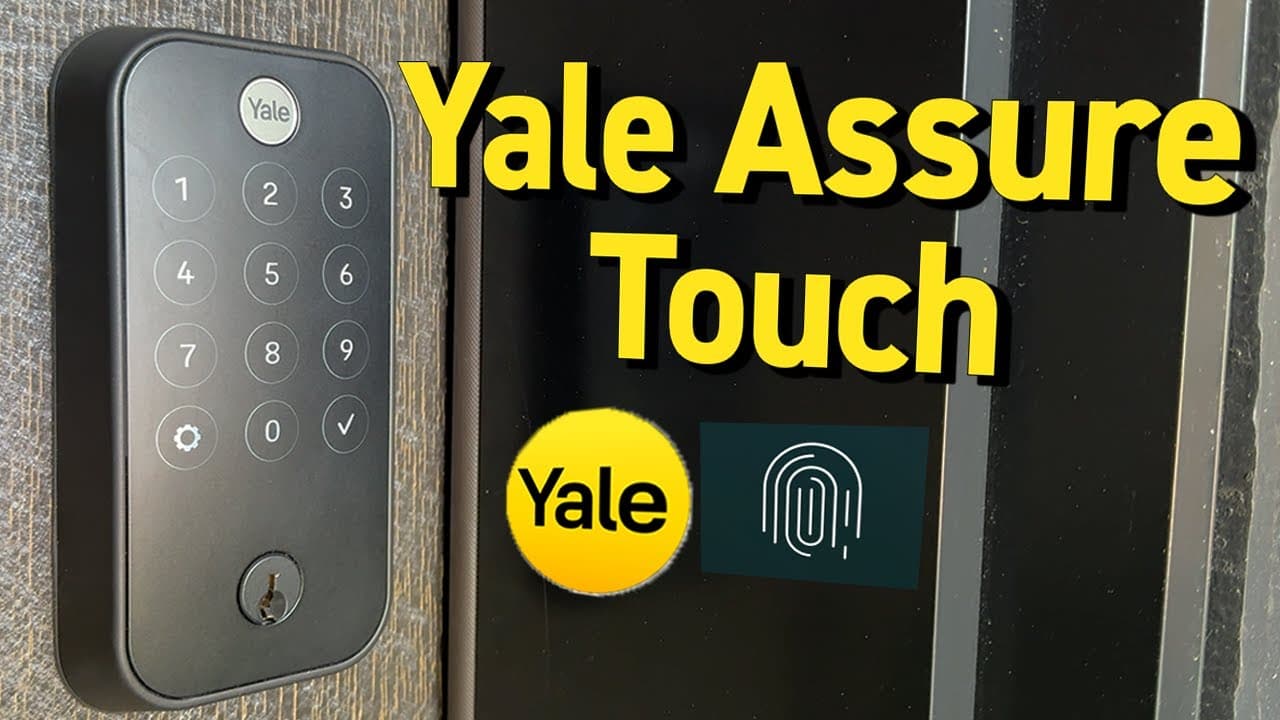
The Yale Assure Lock 2 features a modular design that allows users to swap keypad or key-free options and add Wi-Fi or Bluetooth modules as needed.
- PPRO
Universal Smart Home Support
Compatible with Apple HomeKit, Google Home, Amazon Alexa, and Samsung SmartThings through various module options.
- SPRO
Contemporary Aesthetics
The slim profile and modern design complement various door styles, available in multiple finishes to match home decor.
Cons
- MCON
Additional Cost for Wi-Fi
The Wi-Fi module is sold separately, increasing the total cost for users who want remote access capabilities.
Frequently Asked Questions
Smart door locks are generally as secure or more secure than traditional locks. Most use AES-128 or AES-256 encryption for wireless communication, and many feature ANSI/BHMA Grade 1 or Grade 2 certification for physical security. Features like auto-lock, tamper alerts, and access logs can enhance security beyond what traditional locks offer. However, like any connected device, they require proper setup including strong passwords and regular firmware updates.
Yes, most smart locks work without Wi-Fi for basic functions. Bluetooth connectivity allows smartphone unlocking when nearby, keypads enable PIN code entry, and many locks include physical key backup. However, Wi-Fi is required for remote access features like unlocking from anywhere, receiving real-time notifications, and integrating with smart home platforms. Some locks offer Wi-Fi bridge accessories as optional add-ons.
Smart lock battery life typically ranges from 3 to 12 months depending on the model and usage patterns. Locks with built-in Wi-Fi tend to drain batteries faster than Bluetooth-only models. Most smart locks use standard AA or CR2 batteries and provide low-battery warnings through their apps. Some premium models like Level Lock+ can last up to a year on a single battery.
Most smart locks are designed for DIY installation and can be installed in 10-30 minutes with basic tools like a screwdriver. Retrofit locks that attach to existing deadbolts are the easiest to install. Full replacement locks require removing your existing deadbolt but typically do not require drilling new holes if your door has a standard preparation. All locks include detailed installation guides and many manufacturers offer video tutorials.
Most smart locks have multiple backup options if the battery dies. Many include a physical key override that bypasses the electronic mechanism. Some models feature emergency power ports that allow temporary power via a 9V battery or USB power bank. Smart locks also provide low-battery warnings well in advance, typically starting alerts when 10-20% battery remains, giving ample time for replacement.